Neya
-
Posts
3 -
Joined
-
Last visited
Neya's Achievements






-
 WhoCares? reacted to a post in a topic:
Overwatch > Apex Legends
WhoCares? reacted to a post in a topic:
Overwatch > Apex Legends
-
DPI Wizard reacted to a post in a topic:
Overwatch > Apex Legends
-
Neya reacted to a post in a topic:
Overwatch > Apex Legends
-
Lmao, I did not. Lemme fix that real fast. Well, that fixed it, haha. Thanks, LOL.
-
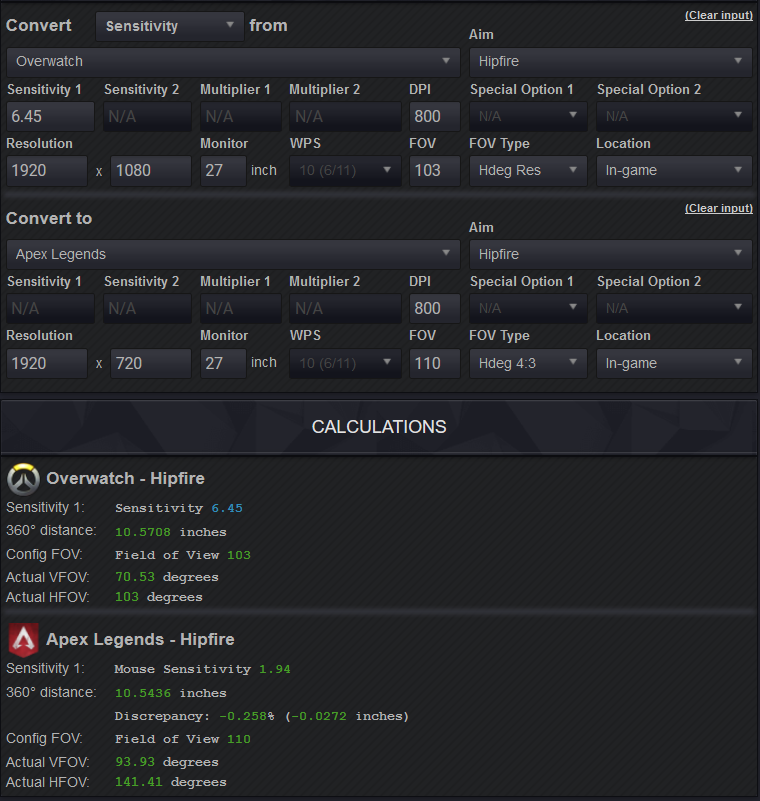
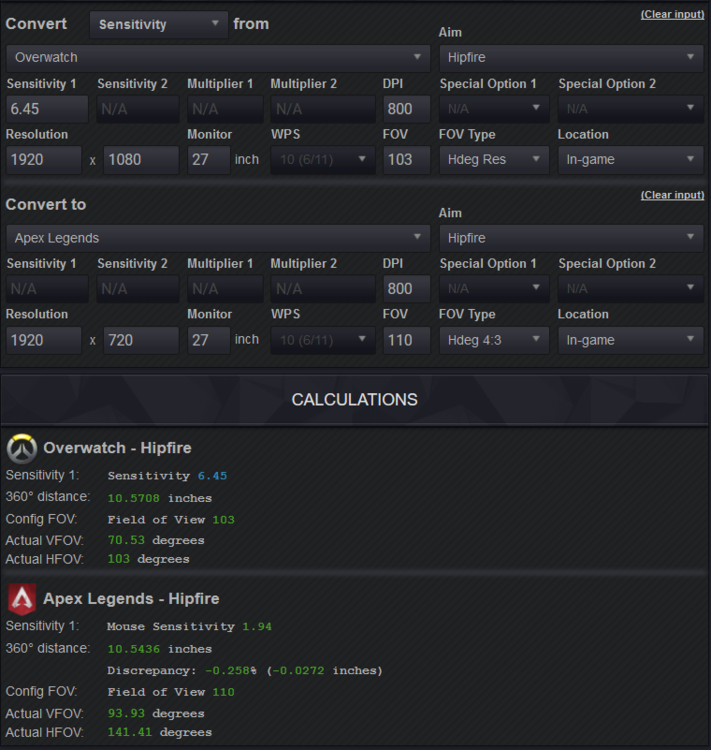
Is the FOV value correct? It's very confusing I feel like the values should be the same or am I wrong? Is it set up correctly like this? Thanks!
-
PUBG: BATTLEGROUNDS (PlayerUnknown's Battlegrounds)
Neya replied to DPI Wizard's topic in Supported Games
Do you change both config and ingame sensitivity? Or just one of the two? If I change config it shows '50' ingame, but if I check the ingame conversion on the site, it should be at 41.