WhoCares?
-
Posts
381 -
Joined
-
Last visited
-
Days Won
5
1 Follower

Recent Profile Visitors
3,042 profile views





WhoCares?'s Achievements






-
Need update description then
-
 WhoCares? reacted to a post in a topic:
THE FINALS
WhoCares? reacted to a post in a topic:
THE FINALS
-
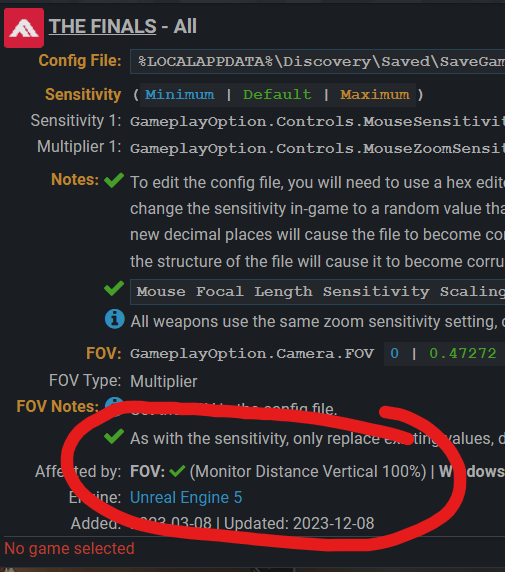
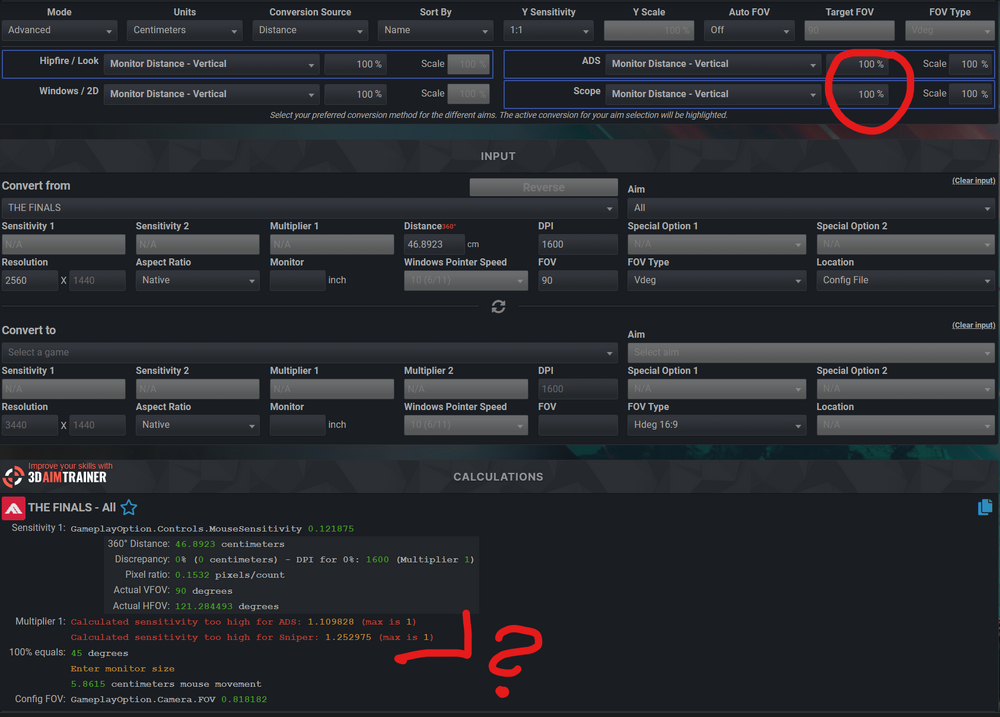
Something seems off. This game is still using 100 vertical monitor match? I am using 100% vmm as target, but the game tells me the needed ADS-multipler would be larger than 1.0. Would you look into it @DPI Wizard? It was working just fine before the update and I received 1.0 as ADS-multiplier which it should be
-
 WhoCares? reacted to a post in a topic:
THE FINALS
WhoCares? reacted to a post in a topic:
THE FINALS
-
Am I seeing it right, that the max. ADS sensitivity is that low, you can't do 133.3% vertical MD ?
-
WhoCares? reacted to a post in a topic:
Warhammer 40,000: Darktide
-
Damn, that was quick I appreciate it !
-
You can manually edit the mod so it supports even more decimals. Quote from Skwuruhl on NexusMods: Without the ability to type in your sensitivity I was wary of making to so there's too many steps. If you want to modify it yourself you'd change the following lines. params.min_value = 0.01 params.num_decimals = 2 params.step_size_value = 0.01 to params.min_value = 0.001 params.num_decimals = 3 params.step_size_value = 0.001 or to whatever precision you desire. Would it be possible to Update the caclulator to support a few more decimals?
-
Oh, disappointing
-
I think you can use decimals in the config file C:\Users\Administrator\Documents\My Games\XDefiant\bc_general_settings_xy Maybe also decimals for the FOV. Update for the calculator?
-
No option for entering a more precise value through some config file?
-
 WhoCares? reacted to a post in a topic:
Metro 2033
WhoCares? reacted to a post in a topic:
Metro 2033
-
WhoCares? reacted to a post in a topic:
Call of Duty: Black Ops Cold War
-
Brilliant! Thanks
-
Could you add the 1.75x (holo-sight) and 2.0x zoom-levels?
-
WhoCares? reacted to a post in a topic:
Call of Duty: Black Ops Cold War
-
Thank you! :)
-
Out of interest: What ADS monitor-match is destiny using? 0%, 75% horizontal, 100% vertical/horizontal or something else?
-
Is your monitor 16 pixels wide and 9 pixels tall? You messed up aspect-ratio with resolution Do you mean 1600x900 or 1920x1080 ? Both are 16:9 aspect-ratio
-
I find 5% higher "sensitivity" just when switching mice a concerning difference
-
For the Ultimate, yes. Thought we are speaking about the regular one. The regular is stated as 4.6%