
Psyqhical
-
Posts
30 -
Joined
-
Last visited
-
Days Won
1
Psyqhical's Achievements






-
Name: Exoprimal Website: https://store.steampowered.com/app/1904230/Exoprimal_Open_Beta_Test/ Status: Open Beta Release date: July 14, 2023 Availability: Free Open Beta / Purchase on Release
-
Just gonna update this real quick since you can no longer Opt-in through steam. Name: The First Descendent Website: https://store.steampowered.com/app/2074920/The_First_Descendant/ Status: Closed BETA Release date: BETA is currently on-line till 26th of October, Full Release in 2023 Availability: Get a key through drops on livestreams with drops enabled.
-
Name: The First Descendent Website: https://store.steampowered.com/app/2074920/The_First_Descendant/ Status: Closed BETA (Opt-in through Steam) Release date: BETA is currently on-line till 26th of October, Full Release in 2023 Availability: Opt-in Closed BETA
-
 Psyqhical reacted to a post in a topic:
Game request archive
Psyqhical reacted to a post in a topic:
Game request archive
-
Psyqhical reacted to a post in a topic:
Game request archive
-
Name: Synced Website: https://store.steampowered.com/app/1008080/SYNCED/ Status: BETA Release date: 2022 Availability: Opt-in Beta
-
Psyqhical reacted to a post in a topic:
Game request archive
-
Hey DPI Wizard, I used to be in the top 3 Recons in Global Agenda and never got that high again in any other game. I still know my Sens and DPI from back than and was hoping (if you have some time) that you could add it to the list? I know it's no longer a popular game now, but I was one of the best Recons back then and would love to use my sens from back then in the games I play now. Name: Global Agenda Website: https://store.steampowered.com/app/17020/Global_Agenda_Free_Agent/ Status: Release Release date: 02/01/2010 Availability: Free Many thanks.
-

Division 2 not converting from
Psyqhical replied to Psyqhical's topic in Feedback, suggestions and bugs
Entered Sensitivity and DPI and it's still asking for Sensitivity and DPI information.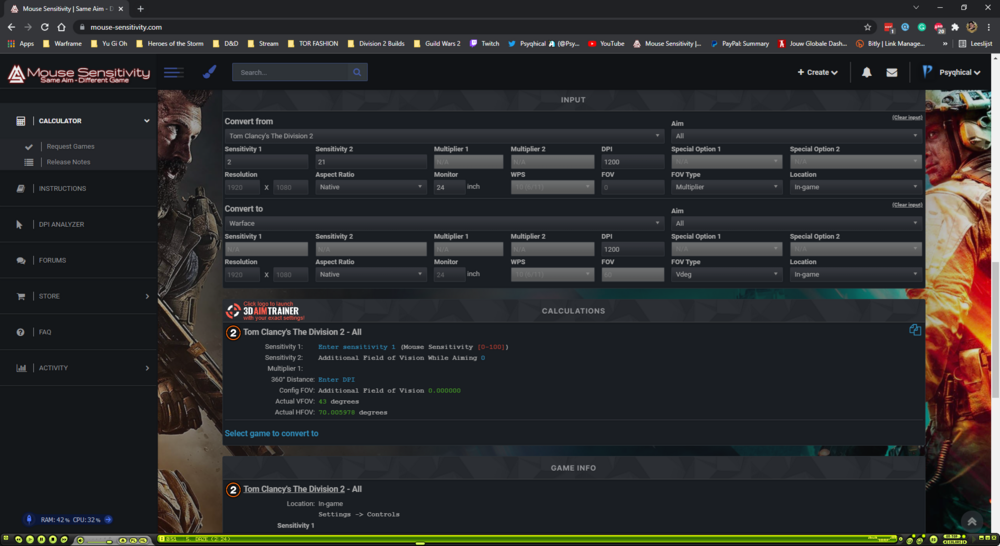
-
Hey, I think I found a bug when Converting From Division 2. If I put in my sensitivity before my DPI, it keeps asking for my DPI. if I put in my DPI before my sensitivity, the sensitivity remains zero and nothing is calculated.
-
LivvyPop reacted to a post in a topic:
Game request archive
-
Sovereign reacted to a post in a topic:
Game request archive
-
exel reacted to a post in a topic:
Game request archive
-
 Koslap reacted to a post in a topic:
Game request archive
Koslap reacted to a post in a topic:
Game request archive
-
Nninnjaa reacted to a post in a topic:
Game request archive
-
Sorry if already asked. Name: Mass Effect Legendary Edition Website: https://store.steampowered.com/app/1328670/Mass_Effect_Legendary_Edition/ Status: Released Release date: May 14th 2021 Availability: Steam/Origin
-
Name: Everreach: Project EdenWebsite: https://store.steampowered.com/app/915670/Everreach_Project_Eden/Status: ReleasedRelease date: 12/04/2019Availability: Steam Purchase Today only! 57% off on https://www.chrono.gg/
-
Shweet!
-
I bet. All those requests. Do you even take a break? Vacation?
-
Still didn't find a scope?
-
Best way to match sensitivity across all games?
Psyqhical replied to Siroh's topic in Technical Discussion
According to this post; It's Monitor Distance Vertical at 0% for everything (hipfire/zoom/ect...). This is because vertical distance is almost always the same across every game/monitor screen. -
Also, they added a normal sens and zoom sens. Might be worth checking this game out again. On a sidenote; the zoom sens seems to be ok if I don't use a scope, but when I wanna snipe with my Marksman rifle (.50 cal) my aim goes all haywire. I do a 360 within a normal swipe.
-
I wouldn't advise it otherwise. I didn't do the "follow the dot" routine though, I just did it while playing Overwatch.