Rossicle
-
Posts
13 -
Joined
-
Last visited
Rossicle's Achievements






-
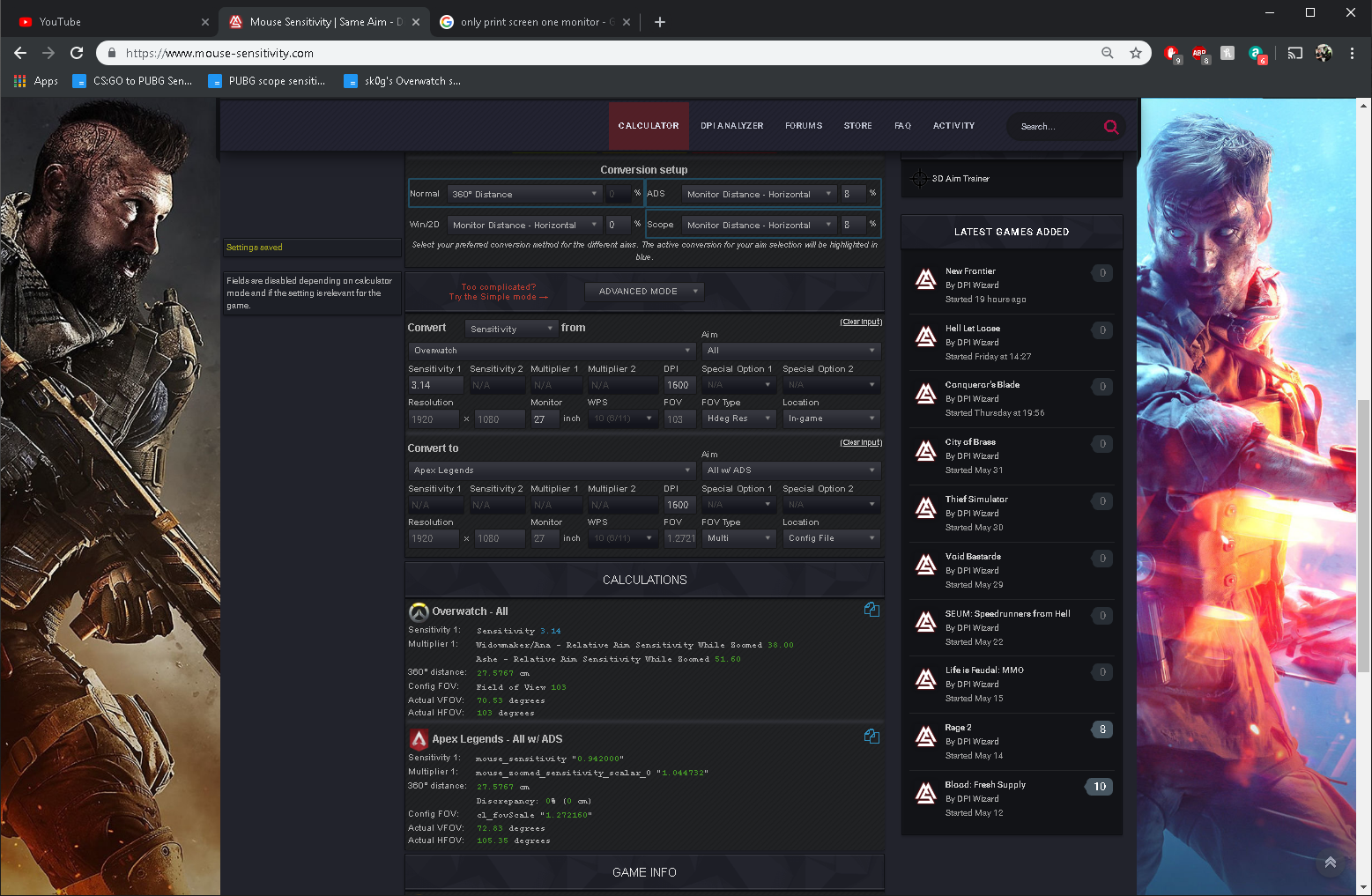
im wondering what way to convert would be better for improving overall between these two;


-
i know but id like to know in general as some games are locked fov
-
would this be the best way to convert to maintain the same feeling in the game? or should i keep 'normal' as 0%MM? TIA
-
Csgo uses 75% MM for scopes, you need to put that at the top of the calculator
-
No I've figured it out now, I just wanted to make my apex the same as overwatch scopes but was skeptical about the fov change effecting it but matching hipfire 360 and leaving scopes at 1 (0%mm) seems good to me
-
ive read a lot through the forums and helped on as many posts as i can but i need help, im using 360 for hipfire sens so it feels good im used to 0% monitor match for scopes in games does this mean i should just use default in game 1? only confused as ive changed fov from 103 ow to 104 apex (i know its 119.something) and its saying to set ads to 1.35, but that would be a higher % match instead of 0% Thanks in advance
-
Problems converting Overwatch ADS sensitivity
Rossicle replied to PrismaHDS's topic in Technical Discussion
Took me a while to get the hang too, yea that's right you just need to put your converted hipfire into sensitivity 1 of apex -
Problems converting Overwatch ADS sensitivity
Rossicle replied to PrismaHDS's topic in Technical Discussion
you need to do the hipfire first, then go on widow/ana scope with 35 in the box and change apex to ads... config fov is 1.272160 0.563308 HIPFIRE 0.939128 ADS -
 knallpulver reacted to a post in a topic:
Apex Legends
knallpulver reacted to a post in a topic:
Apex Legends
-
yes this is correct
-
51.47 is just the default 1 in apex its 0% mm you only need to change hipfire to what you want
-
Yup
-
by the look of it if you match fov, hipfire is the same as cs:go
-
Should I use viewspeed or monitor distance for muscle memory?
Rossicle replied to Skidushe's topic in Technical Discussion
by viewspeed 1 and 2 do you mean horizontal and vertical?