AIucardd
-
Posts
48 -
Joined
-
Last visited


AIucardd's Achievements






-
very strange, I did tried it with those settings and mouse feels way better than it was by default... maybe i played with screwd Y sens for so long that this one felt right on the money. bDampenFirstPlayerControls=0 bDampenThirdPlayerControls=0 fIronSightsLookSpeedPitch=2.0000 fIronSightsLookSpeedYaw=2.0000 fIronSightsPitchSpeedRatio=1.0000 fLookSpeedPitch=1.0000 fLookSpeedYaw=1.0000 fMouseHeadingXScale=0.0100 fMouseHeadingYScale=0.0100 fPitchSpeedRatio=1.0000 Altho, for ones who whant to try it, mod autor said you need to set and adjust mouse sens in game with ¯\_(ツ)_/¯
-
yes, I did those the same numbers and used it with fMouseHeadingXScale=0.0210 and fMouseHeadingYScale=0.03738, still felt off for me.
-
until raw mouse input mod comes out, here is what I did in StarfieldCustom.ini: fMouseHeadingXScale=.0210 fMouseHeadingYScale=.0210 fMouseHeadingNormalizeMax=100.0000 fIronSightsLookSpeedYaw=1.43 fIronSightsLookSpeedPitch=1.35 fLookSpeedYaw=0.73 fLookSpeedPitch=0.70 fPitchSpeedRatio=1.0000 fIronSightsPitchSpeedRatio=1.0000 fMouseHeadingSensitivity=0.0045 bMouseAcceleration=0 (I'm sure half of those are placebo, but it just works™) fMouseHeadingYScale like those below don't work for me, Y still feels off with those, so .0210 and .0210 works best for me. fMouseHeadingSensitivity=0.0045 is for DPI 1600, I used my fallout 4 calculations, so use your own 0.03738 for 16:9 0.042 for 21:9 0.028 for 4:3 0.0336 for 16:10 0.07467 for 32:9
-
 DPI Wizard reacted to a post in a topic:
Nightmare Reaper
DPI Wizard reacted to a post in a topic:
Nightmare Reaper
-
O, thanks for such a quick response, btw, really nice of you! Hope the current "situation" in the world will resolve soon - I wanna keep supporting this site but, probably, payments from here will be blocked for a while. Thank you, again
-
 AIucardd reacted to a post in a topic:
Nightmare Reaper
AIucardd reacted to a post in a topic:
Nightmare Reaper
-
is this just me, or vertical sens in this game feels a bit off? like, it's kinda right, but for some reason feels a bit slow
-
AIucardd reacted to a post in a topic:
Game request archive
-
Name: Warhammer 40,000: Space Marine - Anniversary Edition Website: https://store.steampowered.com/app/55150/Warhammer_40000_Space_Marine__Anniversary_Edition/ Status: Released Release date: September 6st, 2011 (updated a couple months ago) Availability: For Purchase
-
Jeffy14 reacted to a post in a topic:
Escape from Tarkov
-
Ok. People can correct me if I'm wrong. 1. Scopes looked diffenrently when you installed them on "smaller" guns, like SMG. Now "distance from the weapon" is equal for each gun (distance from your "eyes" to optic). 2. Now VUDU eotech 1x zoom is really 1x zoom. Previosly it vas +- x1.5; They fixed HHS-1 hybrid eotech optic (1x zoom now really 1x zoom) too.
-
AIucardd reacted to a post in a topic:
Terminator: Resistance
-
Beyound light update brought "low_latency_mode" in game .xml files, and after update "mouse_smoothing_mode" for me was turned on by default. I suggest go to AppData\Roaming\Bungie\DestinyPC\prefs\ cvars.xml and put = "0" after those options. low_latency_mode in destiny 2 feels off right now.
-
Not shure this is the right place for this topic... it's kinda a suggestion I guess. It is possible to change FoV in State of Decay 2, you can set any value. Is it possible to add fov change in calculator?
-
Well, yes, I can set any fov in config, it's works. Is it possible to update calculator to include any FOV (not only 70 and 75)?
-
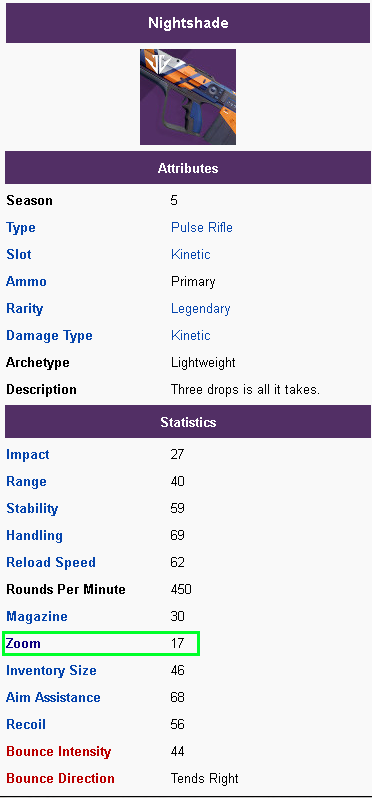
Well, weapon hidden stats are probably datamined: http://db.planetdestiny.com/items/weapons?inverse=true&q=night all values seems the same on all sites (DIM, Planet destiny, The wiki page https://d2.destinygamewiki.com/wiki/Zoom) Wiki probably took info about 16 zoom factor = x1.6 magnification this from https://www.reddit.com/r/CruciblePlaybook/comments/718fgc/detailed_zoom_testing_for_most_destiny_2_weapons/ So, I think, base weapon zoom (16,17, 21 etc.) are datamined info about some scope add +4 to zoom stat probably datamoined too. Info about 16 zoom = x1.6; 21zoom= x2.1 probably tested.
-
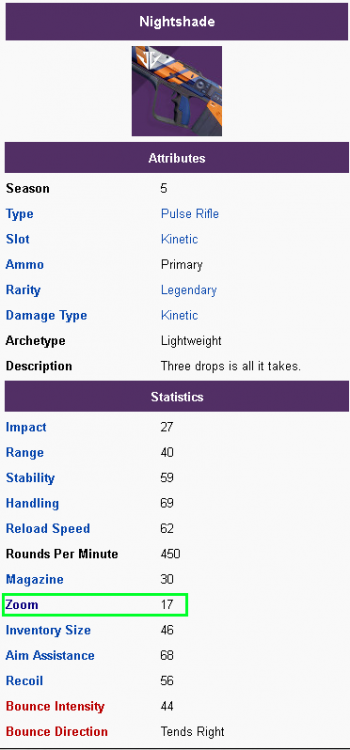
Ok, I was woundering, is it possible to adjust calculator to specific zoom values (like calculated hipfire sensetivity in Trakov, when you set % of sensitivity reduction by armor)? I'll explain. So, here is how zoom in destiny 2 works: https://d2.destinygamewiki.com/wiki/Zoom Also, every gun in destiny 2 has a specific Zoom value: My favorite gun is Redrix's Claymore (Broadsword). It does't have sight mod and has fixed zoom value "18". In destiny 2 tearms this means, that Nightshade has x1.7 zoom factor (default without scope mods) and Redrix has x1.8 Zoom. BUT Nightshade has sight mods. it's means, if Zoom = Base zoom + Scope , than Nightshade + Rifle Scope ST (0.9) = 1.7 + 0.9 = 2.6x. Nightshade + default scope = 1.7 + 0.4 = 2.1x etc. Can u add this final value? for us to insert zoom value (we can search it in wiki and insert correct x."zoomvalue") to calculate ADS sens? I'm playing shooters long enough to adjust my sens by "feel", but your help will be welcome :-). Hipfire calculation is perfect for me. If it's matter, I'm using monitor distance vertical 0% 100% scale (used it for all my games, so I got used to it, feels correct in all games. For me at least)
-
OMG, long time no see, Hellgate...
-
here are my posts about that topic:
-
AIucardd reacted to a post in a topic:
Escape from Tarkov
-
AIucardd reacted to a post in a topic:
Escape from Tarkov
-
AIucardd reacted to a post in a topic:
Escape from Tarkov
-
AIucardd reacted to a post in a topic:
Escape from Tarkov
-
AIucardd reacted to a post in a topic:
Escape from Tarkov
-
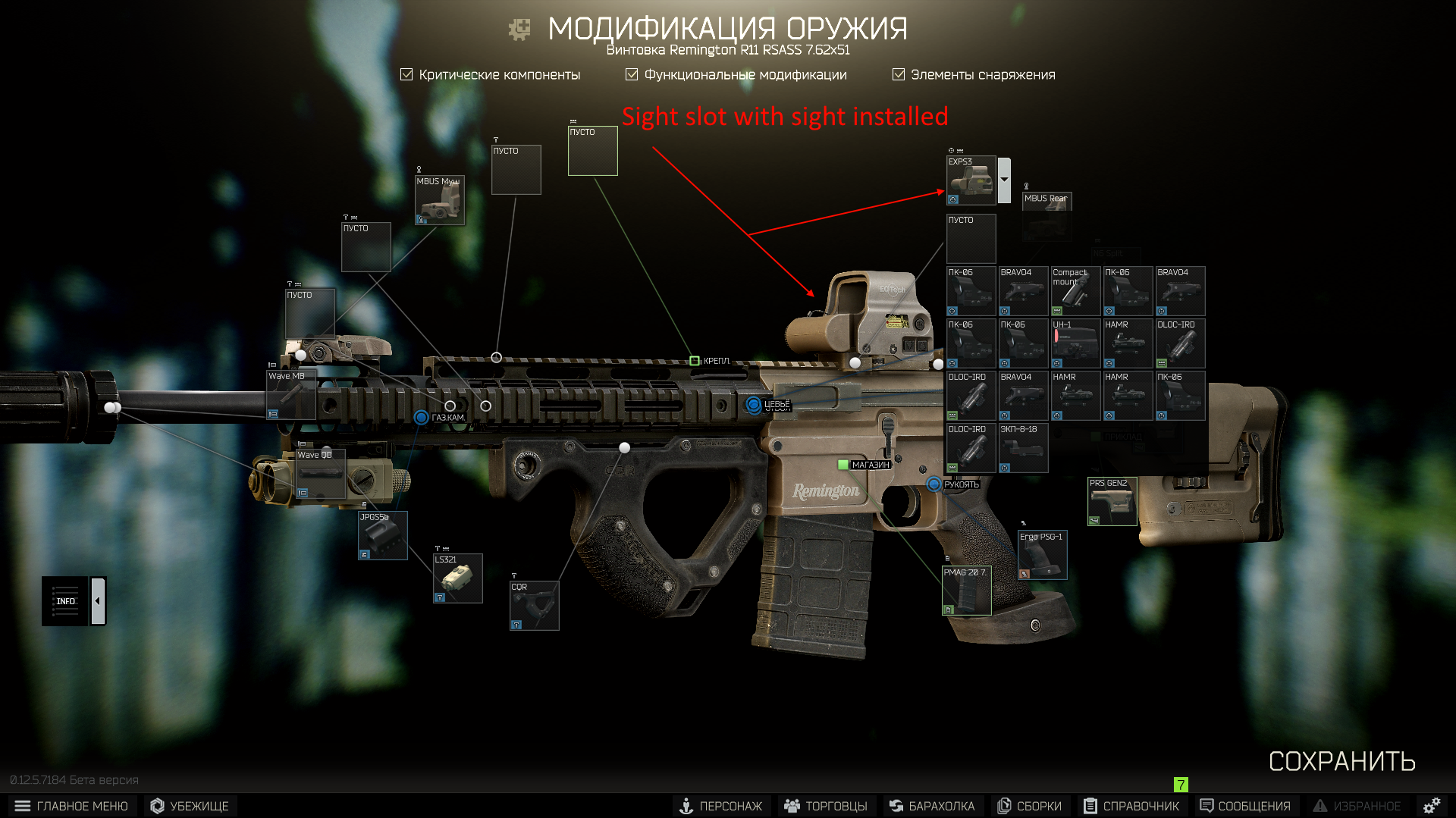
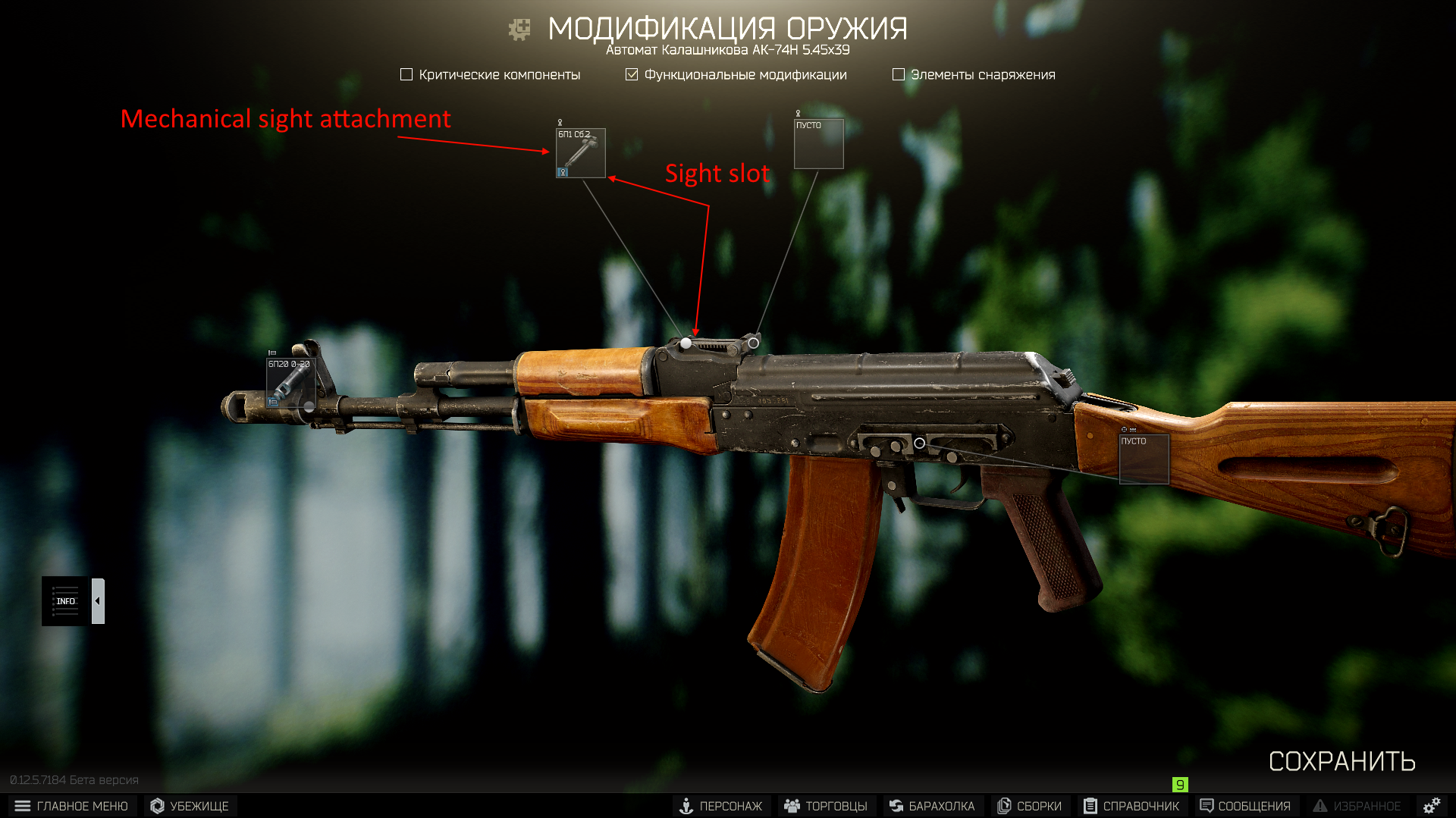
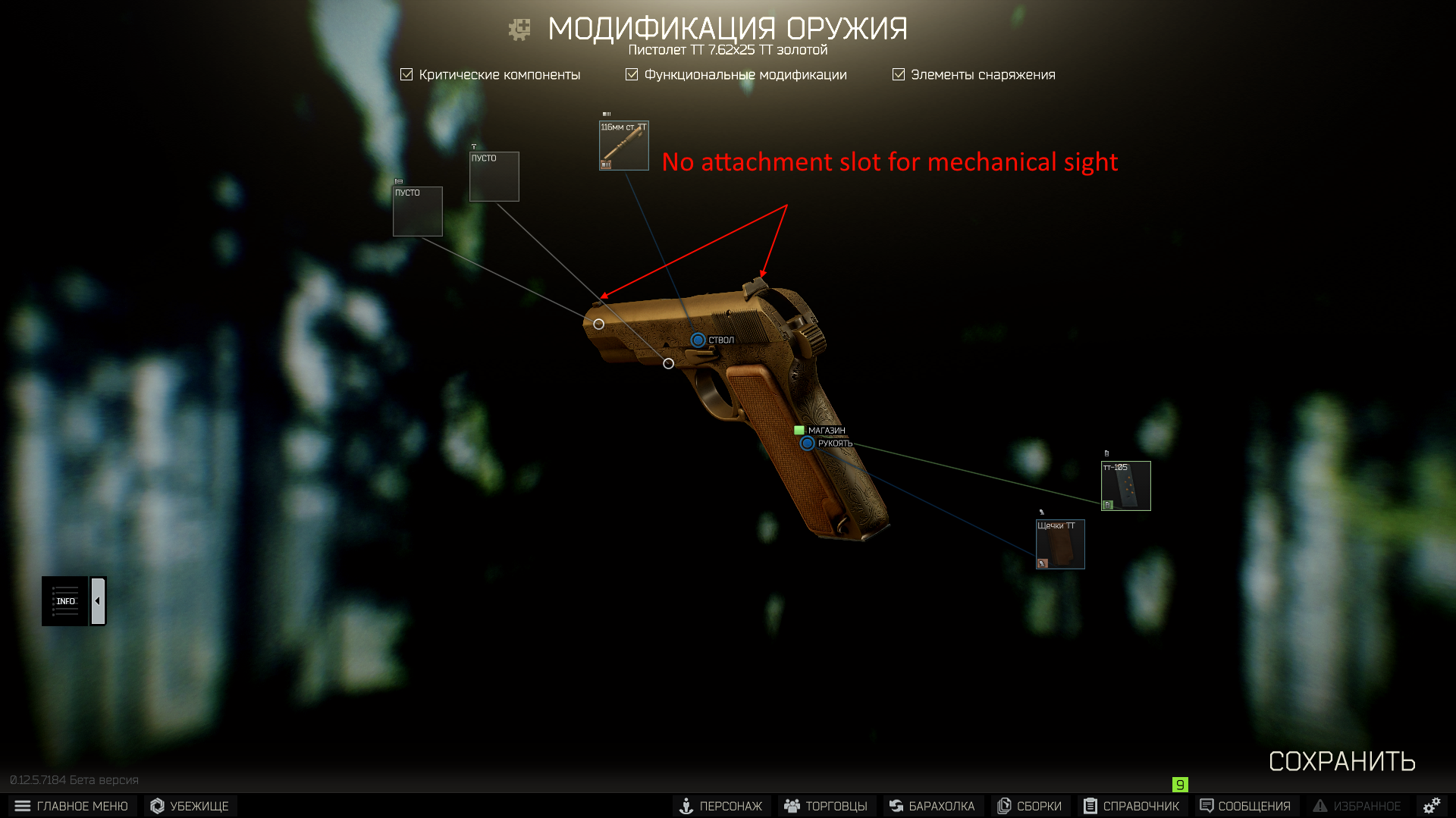
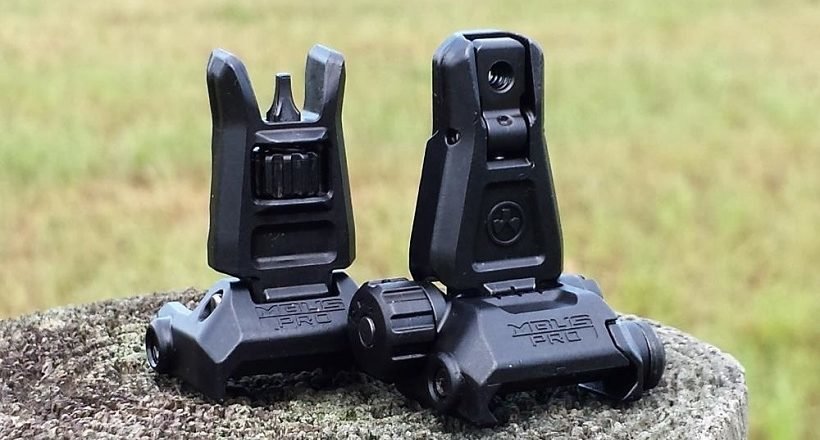
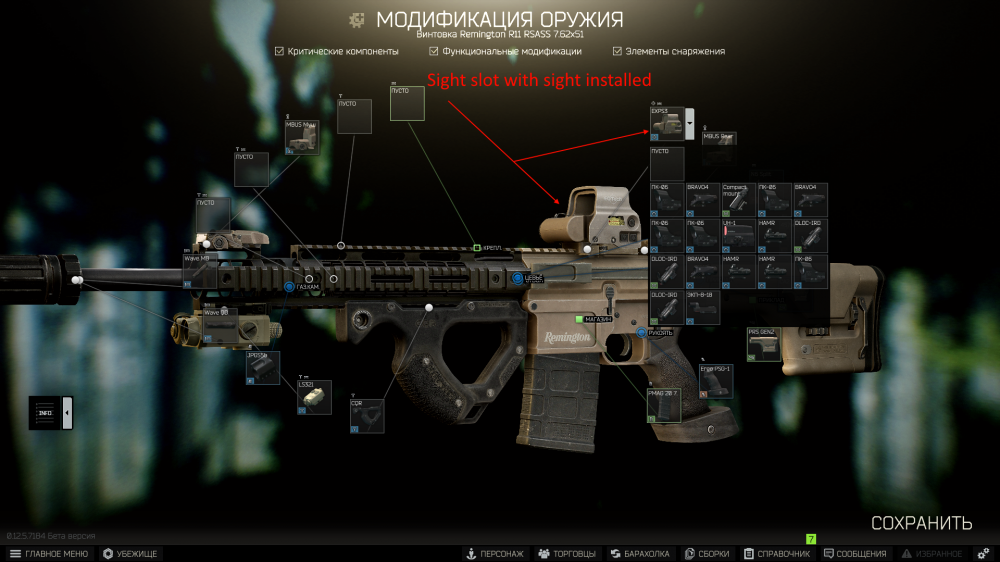
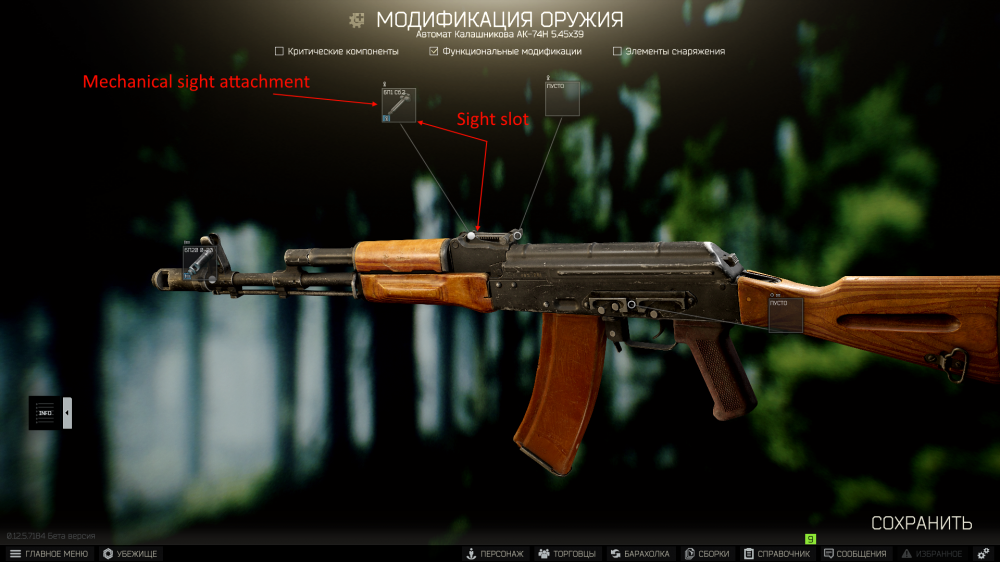
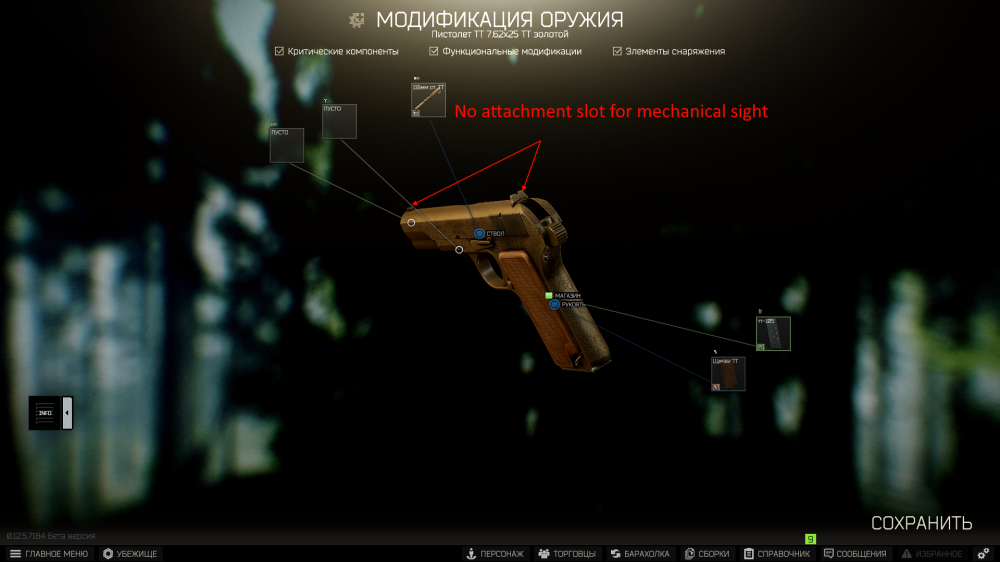
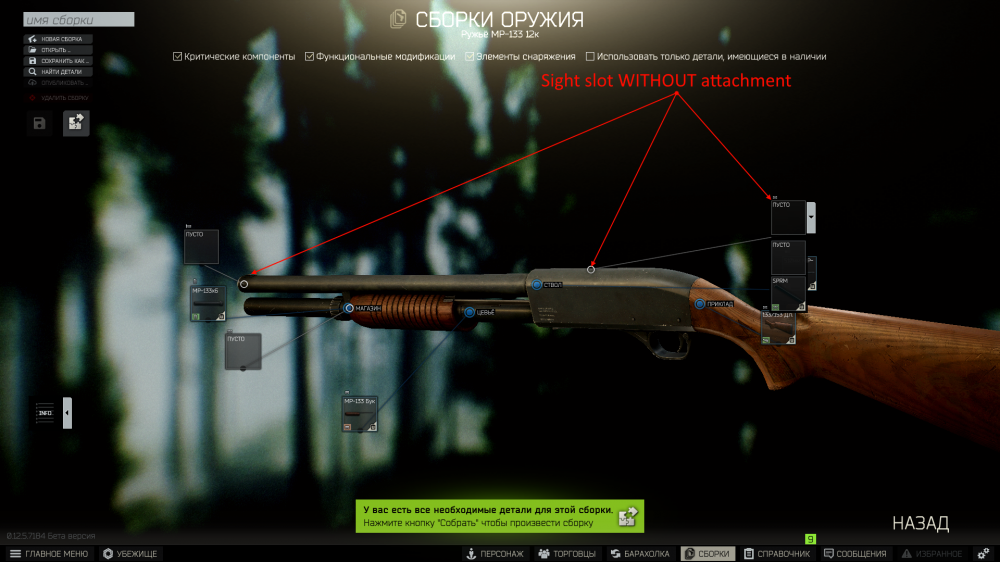
ok, first I was sceptical, but this is true, "ADS - no attachments", 1-x sights like "pk-06" but not counting Walter MRS, all have different sensitivity... I just wanna remind, that "ADS - no attachments" is only for a weapon with mechanical sight SLOT (see screenshots 1 and 2), but not for weapon without that slot (even if weapon has a rearsight, if thats makes sens - see screenshots 3 and 4). Weapons like some pistols: mp-144 "Grach", SR-1MP, Makarov, TT; Some shotguns (mp-133 and mp153 series); ak-74U and other weapon without sight slot OR without sight in that slot (like ak-74 without 6p44 sb.1-30 rearsight) has much higher sensitivity.