
Rukishou
-
Posts
47 -
Joined
-
Last visited
-
Days Won
3
Rukishou's Achievements






-
While you're at it with the hex editing, you can also set the FOV higher than 90, so an option to see what sensitivity you'd want at higher FOVs would be great Edit: Oh, never mind, it already works. Thought the calculator would cap at 90
-
 Rukishou reacted to a post in a topic:
Lethal Company
Rukishou reacted to a post in a topic:
Lethal Company
-
There's an FOV mod here: https://thunderstore.io/c/lethal-company/p/Rozebud/FOV_Adjust/
-
Rukishou reacted to a post in a topic:
Yet another monitor distance formula variant
-
Rukishou reacted to a post in a topic:
Game request archive
-
According to the PCGW page it's possible to both change FOV and enable raw mouse input, if updating the calculator isn't too much trouble. Oops, was looking at the 2008 game That said, it appears to be possible to change FOV in the 2023 game as well with a cheat engine table.
-
 Rukishou reacted to a post in a topic:
Game request archive
Rukishou reacted to a post in a topic:
Game request archive
-
Rukishou reacted to a post in a topic:
Alan Wake 2
-
McGuffin64 reacted to a post in a topic:
Game request archive
-
Rukishou reacted to a post in a topic:
Counter-Strike 2 (prev. Counter Strike: Global Offensive)
-
WheresMyPants reacted to a post in a topic:
Game request archive
-
Name: Alan Wake II Website: https://www.alanwake.com/ Release date: October 27, 2023 Availability: pre-purchase, Epic Games Store exclusive (for now)
-
Rukishou reacted to a post in a topic:
Game request archive
-
Rukishou reacted to a post in a topic:
Remnant II
-
Rukishou reacted to a post in a topic:
Game request archive
-
Since the mod has two versions (one removes FOV scaling, one doesn't) you might want to clarify which to use in the Notes section
-
Tried converting with focal length and got 1296x729 (going to 80 vertical fov from 86 at 2560x1440) but shouldn't it be 2304x1296?
.thumb.png.67e9b54ae732acf159c591ff4bfa120d.png)
-
Name: Weird West Website: https://www.weirdwest.com/ Status: released Release date: Mar 31, 2022 Availability: purchase & Xbox game pass First-person mod: https://mod.io/g/weirdwest/m/first-person-mode1 Bit of an odd request perhaps but if doable it''d be nice to have the official first person mod in the calculator
-
There is a mod that lets you set FOV multiplier all the way up to 260 if you don't mind adding support for those higher values
-
 Aw, I understand. Would it still be possible to change this for games that don't use multipliers though?
 -
This has been an issue in a lot of games for me, but let's take Deep Rock Galactic where the max FOV in game is 120 multiplier, corresponding to 82.5 vertical FOV, but with a mod can be set to 125 which more closely matches the 86 vertical I want. In the past I could enter any FOV even beyond the supported range of a game and get accurate results, but as of some time back it spits out this warning: Honestly, the warning is good, but I still want to see the calculated results, just with a note next to it. This would also futureproof games for updates adding FOV options or increasing their range. At the very least please make this an option in "Advanced" mode

-
Name: Monster Hunter Rise Website: https://store.steampowered.com/app/1446780/MONSTER_HUNTER_RISE/ Status: release Release date: Jan 12, 2022 Availability: purchase
-
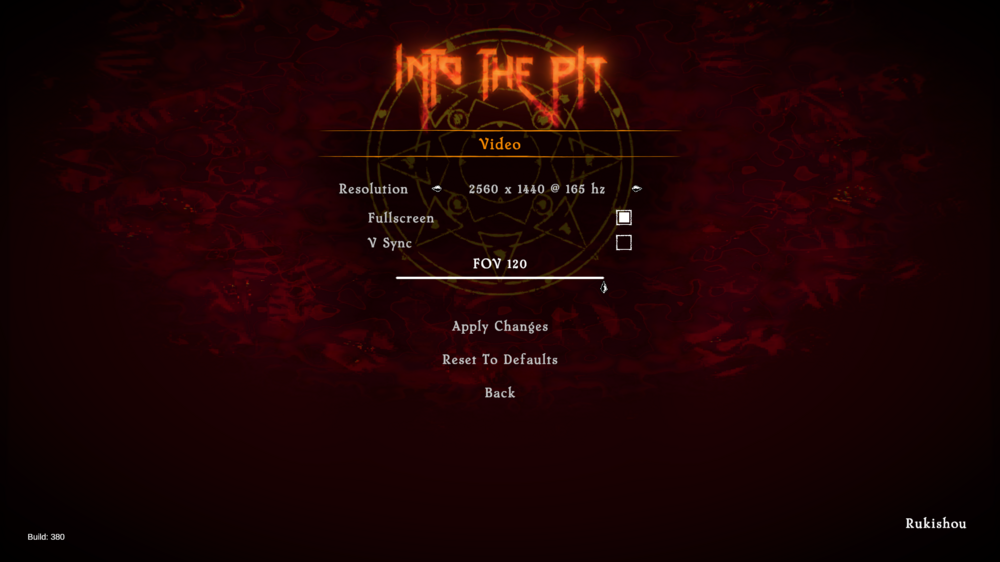
Just downloaded this on XGP and there is an FOV slider ranging 60-120
-
Khillasaurus reacted to a post in a topic:
DEATHLOOP
-
Is it just the FPS limit setting that affects smoothing or will it still happen if you, say, set the limit to 120 but your FPS varies around 80-90 or something?
-
Name: Operation: Tango Website: https://store.steampowered.com/app/1335790/Operation_Tango/ Status: release Release date: June 1, 2021 Availability: Purchase, free download for player 2 Edit: On second thought, very short game with no real aiming to speak of and I ended up just picking a comfortable enough sens and going through ti with a friend in one sitting. Up to you though if you still want to add it ofc
-
Can we get an update for the new weapons in Rundown #5, like the Heavy SMG and HEL weapons?
.png.63cd2eac4eb883f90a13f75239d4ca9b.png)