


Cannon
-
Posts
22 -
Joined
-
Last visited
Cannon's Achievements






-
 Cannon reacted to a post in a topic:
Should I include monitor size?
Cannon reacted to a post in a topic:
Should I include monitor size?
-
Thank you!
-
Cannon reacted to a post in a topic:
Should I include monitor size?
-
https://www.mouse-sensitivity.com/?share=869e04e6ceb5c6d1a437387a88b25ead
-
Can we still get this change in settings? I still convert from this and still get the same issue
-
You could try this its close if you're trying to do 100% distance match: https://www.mouse-sensitivity.com/?share=6315076dd916ce32e3749f2a9be53be0
-
It's not. You have it set to 0%. set it 75% MDH or MDV 133.3333 out of a scale of 100%. Thats edge of screen on 16:9. You'll see your : Monitor Distance Coefficient 1.33 That is the same as counterstrike : FOV Notes: FOV can only be changed if sv_cheats is enabled. Use the aim called "Hipfire (sv_cheats enabled for FOV change)" if you want to calculate sensitivity with changed FOV. Affected by: FOV: (Monitor Distance Vertical 133.3333%)
-
Springfield1903 reacted to a post in a topic:
Valorant Scope sens. to MDV/MDH?
-
Yes
-
Cannon reacted to a post in a topic:
How does monitor size work?
-
Does this site go by the actually viewable size or the rounded specifications? My monitor is labeled as a 25 inch but its actual value in diagonal inches is 24.5
-
Cannon reacted to a post in a topic:
Recommended method to convert 4:3 stretched to 16:9 native in CS:GO?
-

Recommended method to convert 4:3 stretched to 16:9 native in CS:GO?
Cannon replied to mevlin's topic in Technical Discussion
Try MDH 100% for same flick feeling -
MDV/MDH 0% if you are coming from apex. 1 ADS in apex is = 0%
-
Trying to convert a pro players settings for apex
Cannon replied to Zeish's topic in Technical Discussion

-
Trying to convert a pro players settings for apex
Cannon replied to Zeish's topic in Technical Discussion
-
Trying to convert a pro players settings for apex
Cannon replied to Zeish's topic in Technical Discussion
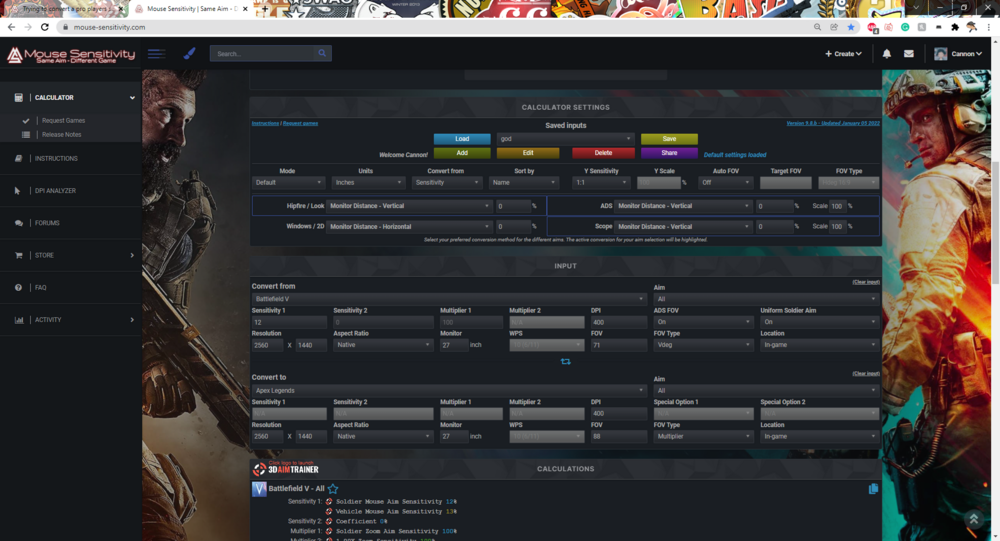
FOV does make a difference when you use monitor distance matching. For you, you like 0% which a lot of people do. Idk what your fov is. Just put in what you have in game and don't mess with fov type. It does the default of the game. Try this but change what fov you actual use in both games. If not just use 1 for ads. Apex is default 0 coefficient . Sorry I cant share a link. It's not working for me -
 Zeish reacted to a post in a topic:
Trying to convert a pro players settings for apex
Zeish reacted to a post in a topic:
Trying to convert a pro players settings for apex
-
Trying to convert a pro players settings for apex
Cannon replied to Zeish's topic in Technical Discussion
It's correct he plays on a very high sens. For dpi you can just multiply it by your sens to get your edpi. His would be 1980. 1980/400 = 4.95 sens at 400 -
I see you posted twice. The first guy gave a good reply. When it comes to anything sensitivity wise it's how it feels to you. There's never a right answer because you can only match certain aspects of an old sens from another game. For you there is no calculation. It comes down to trying out different coefficients. My recommendation is try 0 as it's equivalent to MDV/MDH 0% which most people like and is good for muscle memory. If it's slow try 1.78 which is the same as MDV 178% roughly and is good for 16:9. For me i played csgo which uses MDV 133% = 1.33 . So it's all preference and you are kinda on the right track. So when ADS it goes slow to faster in this order (0.00, 1.33, 1.78, some common values) and you'll just have to test, and then you can transfer to other games. Let me know how it goes
-
Cannon reacted to a post in a topic:
stretched to 16:9 for flicks (CS:GO players)
-
stretched to 16:9 for flicks (CS:GO players)
Cannon replied to Cannon's topic in Technical Discussion
And if I want to start converting from valorant to new games I can do it like this? https://www.mouse-sensitivity.com/?share=b69b4894f7f91721dfa812d1a1360f5e

